This product supports touchscreen?
 JaneYu 2020-08-14 19:13:33 113 Views11 Replies
 This product supports touchscreen?
Please suggest alternative HDMI part
I required portrait view 10.1' HDMI display like 600*1024 (not 1024*600), 600*800, 800*1024, 800*1280. means by default mode is portrait mode.
JaneYu My experience has been exactly the same - after discovering the typo in the wiki (it should be "hdmi_drive", not "hdmi_driver"), I also get nothing displayed on the screen until I either power cycle the monitor, or wait a few minutes.
I'm going to try plugging it in to a powered USB hub (which in turn will be plugged into the Pi) to see if that helps. The Raspberry Pi is running off the official power adaptor, so I'd assume it's supplying enough current with plenty to spare (it's also running a Pimoroni fan shield, a USB dongle for a mouse, and a backlit Deck keyboard with the backlights off).
Another issue I had was with the GUI having a "phantom screen" attached on the other port, so the desktop was double the width it should have been, with half of it being invisible. I fixed this by commenting out the [HDMI:1] section in /boot/config.txt and making sure the screen was plugged into HDMI:0.
It does, however, work fine once it's going - I've got "config_hdmi_boost" set to 6, and then I've rotated the display in the GUI settings and it's working great.
JaneYu It will work with a Pi 400, however I have been having a few issues with running 2 at the same time. I can run two of them with a Pi4, but not the Pi 400 for some reason. But if you only need one, it works great with the Pi 400.
JaneYu HI Willie,
Sorry to let you know that we haven't got our hands on Raspberry pi 400 yet, as a result we haven't tested on it yet. From the specification it seems that this display should work with the pi 400 but I cannot tell you anything surely. Once we get to test it with the pi 400, we will let you know the results of our test.
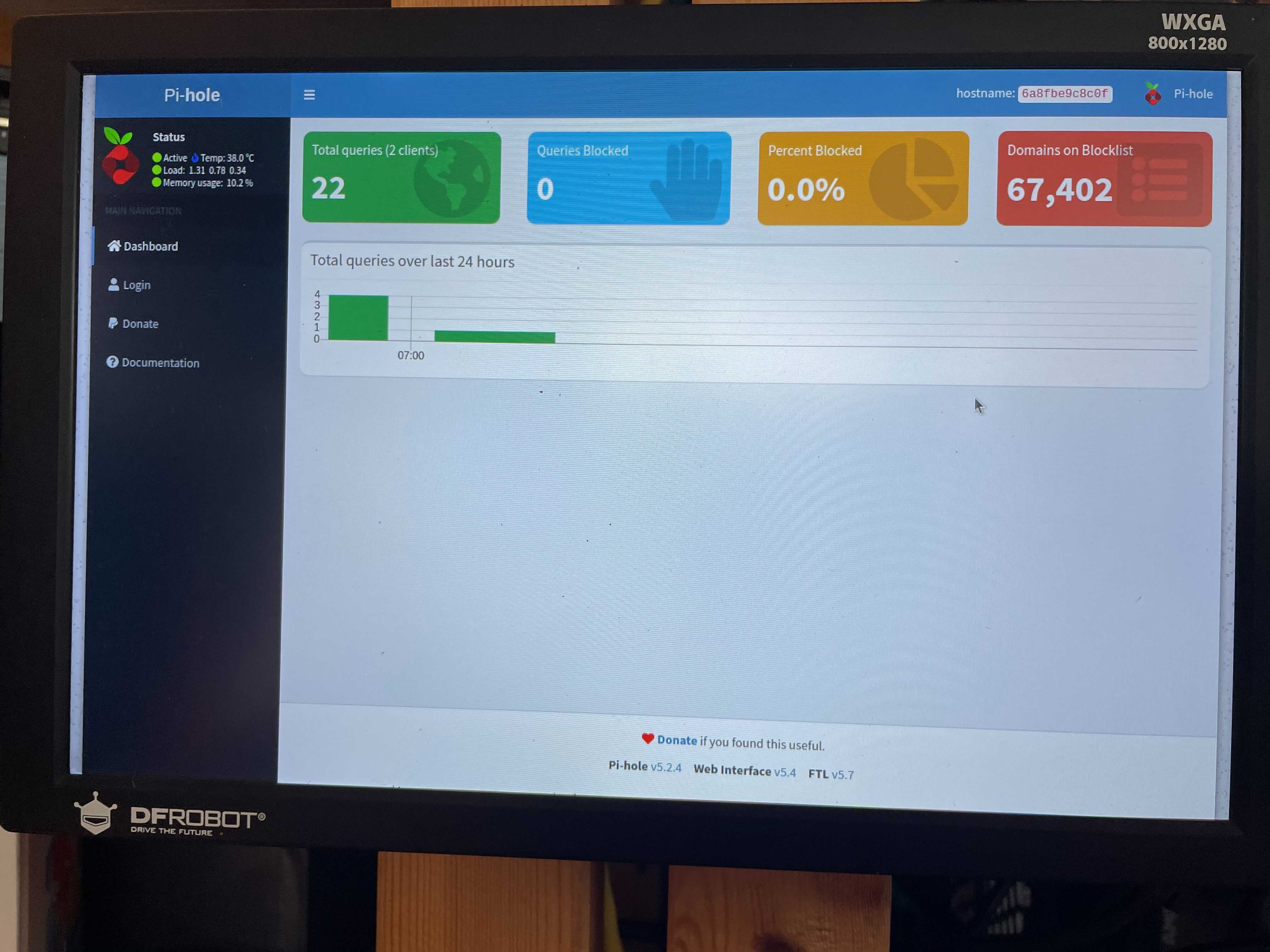
JaneYu I picked up two of these to use with my Raspberry Pi 4 (and soon to use on the Pi 400). I'm using the latest Raspberry Pi OS (as of November 5th 2020), and Ubuntu Mate 20.10 official Pi image. I've also made sure to update my Pi's firmware to the latest version.
I've modified the code from the wiki for /boot/config.txt (changed code in bold):
hdmi_ignore_edid=0xa5000080
config_hdmi_boost=4
hdmi_timings=800 0 48 8 16 1280 0 12 6 18 0 0 0 60 0 61440000 5
hdmi_drive=1
hdmi_group=2
hdmi_mode=87
display_rotate=0
I slowed down hdmi_timings to 61440000 due to the equation to calculate the bit clock. It shouldn't matter, but I'm using this rate.
The next line had a typo, its "hdmi_drive" not "hdmi_driver". Setting it to "1" forces DVI mode which is pretty much video-only mode. Setting it to "2" is HDMI mode, so audio can also go through the HDMI cable. These screens have no speakers, so hdmi_drive=1 is ideal.
I also set display_rotate=0 because it never changed anything for me. I can change the orientation within the OS just fine, so you can even leave this part off and configure it within the OS. Also worth noting, the "display_rotate" command is deprecated, and its suggested to use "display_hdmi_rotate" instead. But I haven't tried it yet.
Now, after configuring everything and booting up the Pi, I've found that one of my screens comes on with no problems. The second one has to have its power cycled once the Pi is fully loaded up. It may be random which screens need it.
Make sure you have a good power source. These screens pull over HALF of the power the Pi can put out on the USB ports. With only one screen and a wireless mouse/keyboard combo, I have no problems. But Two screens overloads the Pi and it cuts off USB power. I fixed that by running the two screens on a USB hub with a dedicated power supply. They work beautifully!
All in all I'm very happy. I've been looking for a set of monitors for my Pi4 that are small, but have good resolution and these fit these were perfect. Now I need to build a case for them, the Pi and everything to have a portable, dual-screen Pi system!
JaneYu I also spotted the hdmi_driver typo after going over the Raspberry Pi docs trying to work out what the hell was wrong :) The rotation and timings is something new though, and my screen seems to be working great now, aside from an issue with having to either power cycle the screen after booting, or wait a few minutes before it'll start up... I'm using the "official" power supply, so I wouldn't have thought it'd be an issue, but even with no other USB peripherals (i.e. keyboard/mouse), it takes a few minutes for the screen to decide to turn on, so I'm going to try your idea of a powered USB hub.
Ok , but I wanted to buy a touchscreen panel for this display . Pls recommend one...
JaneYu this monitor isnt working with latest buster image on rpi4 ... it works with rpi3 fine.. just starts up black and will only come on after boot if i power cycle the monitor
JaneYu need help! doesnt work with RPI 4 with the config thats in the wiki... not sure what to try.. it works if i unlplugg and plug the usb power to the screen.. but it doesnt seem to start the screen from boot on its own... any suggestions?
JaneYu Tested with Raspberry Pi 3B+ and 4B, perfect!
But when I tested it with lattepanda Delta, it appears LP Logo in the first, then it can not be recognized when Delta is working. But once I changed the system to ubuntu, it works!
I guess the system in Delta is different to Alpha, the HDMI hardware driver firmware is different. So the Alpha can work well and Linux OS can set the HDMI output configuration.
JaneYu