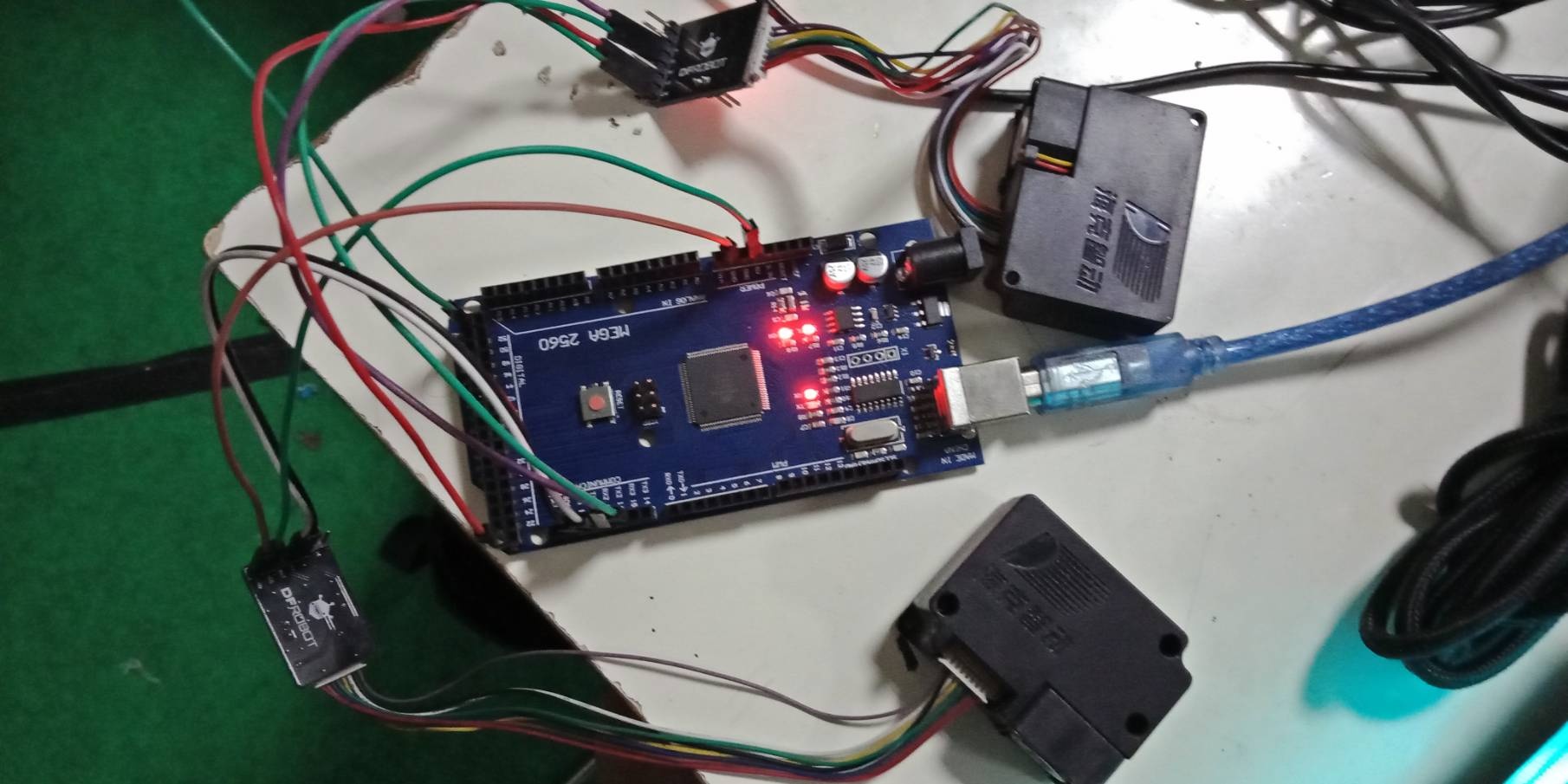
What does the adaptor do? Are they available separately?
 JaneYu 2016-11-16 11:01:00 9 Views61 Replies
 What does the adaptor do? Are they available separately?
I have the sensor working with an Arduino MKR 1000.
Have had to use pins 13/14 (RX/TX) which maps to Serial1 (instead of Serial in the original code: https://wiki.dfrobot.com/PM.... The baud for Serial1 needs to be setup to 9600 or it will not connect to the sensor (so use a different baud for the USB/Serial, e.g., 115200).
Result: It gives me all zeroes and the RX/TX leds in the PM2.5 adapter are always off.
[SOLUTION?]: I found a solution that I am not happy with: Unplug and reconnect the VCC pin in the MKR, so the PM2.5 sensor adapter resets, and starts sending data.
Any way to do this reset on software?
JaneYu I had a lot of problems with this item. Works some times, then not. Finally figured out it is a voltage problem. While the 120mA draw is within the Arduino's current rating for 5V pin, the voltage drops below the value required by this monitor (4.95V) and it does not work. It needs external additional power. With a UNO or Mega, a separate USB source in the input pin seems to be enough. For a Nano, I had to make a separate 5V bus and power the Nano and 0177 off it, and it is reliable so far.
JaneYu I'm facing an issue using the sensor SEN0177 in combination with BMP388 . Ι'm using ARDUINO UNO WIFI REV2 and the results of SEN0177 sometimes are zero values. I tried every solution that has given in the QA section but nothing seems to work. Furthermore, I'm using the Software serial's code for SEN0177 with RX and TX pins set to 10 and 11 respectively. Is there a possibility that these codes aren't compatible with these specific Arduino ?
Thank you in advance.
JaneYu Hi Maria,
We have not tested this product with WIFI REV2 so I cannot guarantee any compatibility issue with it.
Sorry for the inconvenience.
Hi, I use sensors SEN0177 and after some time some of them start to show the value 1200 (for PM1, PM2.5 and PM10). What could be the reason for showing such wrong values? Can such a sensor be cleaned in some way?
JaneYu Hi Support team, can I use this sensor as an On and Off sensor ? to provide a digital input signal to the Arduino in case of the presence of dust. I wanna integrate the sensor in one of the cleaning applications.
JaneYu I am having a problem about the 0 value output. I am using Arduino UNO and I used the Software serial code in this page of yours https://wiki.dfrobot.com/PM...
JaneYu I had same problem and found that voltage supplied to sensor was not exactly 5V due to weak USB port. Changed the USB hub and sensor started to work.
You can test when there is less dust.
If you need to test in a dusty environment, but you are allergic, I don't recommend using it like this.
JaneYu https://uploads.disquscdn.c... hello, i have some question
I use 3 SKU:SEN0177 sensors in arduino mega
1. Can I use 3 sensors in 1 Arduino Mega?
2. if possible, what will the source code?
and the communication that I use is TX RX pin directly
JaneYu Test one by one to ensure that there is no problem with the PM instrument
Then on the Arduino official website to learn how to use the mega hard serial port.
Good morning
I saw the page and I read it before and it does not answer the question.
And why you refer to a page instead of answering just the question.
Now lets try it again:
To what GPIOs the RX-TX output is connected to? Simple question isn't it?
The
reason why I ask is that I have the un-good feeling that the Beetle
does NOT use for the RX/TX port U2UXD but that that the RX/TX port is
connect together with the USB to U0UXD. But I need a technical clear
answer.
JaneYu Did anybody tried to use the PM Sensor with ESP32 BEETLE?
JaneYu Hey Andreas,
If you are wondering if it is compatible, it is! All you need is RX and TX pins for communication (in addition to power and ground). You can check the wiki here to get a better idea of how it connects: https://wiki.dfrobot.com/PM...
Hey Niki,
I advise you check out the product wiki here. It is a little difficult to understand without knowing the communication protocol, which is described in the wiki. You can find that link here: https://wiki.dfrobot.com/PM.... Additionally take a look at the product datasheet which can found on our github here: https://github.com/Arduinol...
JaneYu Hi,
Could you please send us an email with your photo of connection, code and result to [email protected]?
JaneYu Hi,
There is a switch on your exapsion shield. You can either choose "PROG" or "RUN". If you want to monitor the data, switch to "PROG", which means you are using the USB serial. And the data collected from the sensor will be transmitted to your PC and printed out in the serial monitor.
JaneYu already solutions you just have to create a new serial independent for each and to send by bluetooth must use the serial variable they created and .println (message)
JaneYu