Introduction
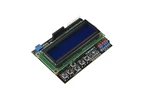
Simplify Your Arduino User Interface: No More Breadboard Mess. One of the biggest hurdles in building standalone Arduino projects is the wiring complexity of a 1602 LCD and multiple tactile buttons. The Gravity: 1602 LCD Keypad Shield eliminates "wire spaghetti" by integrating a 2x16 character display and 6 momentary pushbuttons into a single, stackable board.
Designed for the Arduino Uno, Mega, and Leonardo, this shield provides a complete UI solution while leaving your digital pins free for other critical tasks.
Why Choose This 1602 LCD Keypad Shield?
Optimized Pin Usage: Unlike DIY setups that consume multiple I/O for buttons, this shield uses a resistor power divider to read 5 buttons through a single Analog Pin (A0).
Gravity Ecosystem Ready: Features built-in 3-pin headers (Signal, VCC, GND) with DFRobot’s standard color-coding, allowing you to plug in analog sensors directly.
Integrated Wireless Port: Includes a dedicated socket for APC220 Radio or Bluetooth V3 modules, transforming your project into a remote-controlled system effortlessly.
Hardware Control: On-board potentiometer for contrast adjustment and a dedicated Arduino reset button for fast debugging.
Developer Pro-Tips
Button Mapping: Since the 5 buttons are on a single analog pin (A0), use the analogRead(0) function. In your code, define thresholds for each button (e.g., Right is typically around 0, Up around 145, Down around 329, Left around 505, and Select around 741).
Backlight Power Management: Pin D10 controls the backlight. You can use digitalWrite(10, HIGH) to turn it on or analogWrite(10, value) to adjust the brightness via PWM to save power in battery-operated projects.
UART Wireless Expansion: If you are using the APC220 or Bluetooth socket, remember that these share the hardware Serial pins (D0/D1). Always unplug the wireless module when uploading new sketches to avoid communication errors.
Header Protection: The LCD pins are not exposed on the top side of the board. This is a deliberate design choice to prevent short circuits when stacking other shields on top.
Applications
Field Monitoring & Data Logging: Perfect for outdoor sensor stations where a laptop is unavailable. View real-time temperature, humidity, or CO2 levels directly on the 16x2 screen.
Interactive Menu Systems: Build professional-grade device menus. The 5-way directional buttons allow users to navigate settings, calibrate sensors, or toggle functions without an external PC.
Robotics Control Center: Use the directional keys to manually drive a robot or adjust PID parameters on the fly via the shield’s interface.
STEM Education: An ideal tool for teaching students about UI/UX design in embedded systems and the concept of Analog-to-Digital Conversion (ADC) for button inputs.
Shipping List
LCD Keypad Shield for Arduino x1